Meshcore Pt II. Setting Up Repeaters
As I mentioned in my last post, part of the fun of Meshcore in the Bay Area right now is that it still feels like a network in progress. So you can really take an active role in the growth and development of the project.
After trying out a companion radio, you’ll probably start getting curious about repeaters.
Getting a Repeater
There are a couple of ways to get started. If you’re feeling hands-on, there are community-sourced builds that let you put together a repeater pretty cheaply. You should reach out to your local network to see what works best in your area. For example, if you're somewhere where it snows you'll need to incorporate a small heater to melt snow that has accumulated on your solar panels. I found other people working on meshcore in the Bay Area through a post on Reddit, they mostly work together on discord.
If you’d rather skip the DIY, there are also prebuilt, plug-and-play options from places like Peakmesh’s Etsy shop or SeeedStudio that cost a little over $100. Most of these devices are sold for Meshtastic, but sellers will flash Meshcore firmware for you if you ask.
Either way, getting hardware in hand is doable, which is part of what makes the network so approachable right now.
Initial Setup: Keys and Location
Once you have your repeater, the first step is plugging it into your laptop and using the Meshcore flasher.
Two things matter here:
- Public key: You’ll want to choose one that isn’t already in use in your region. The Bay Area network is currently migrating from 1-byte to 2-byte hashes in adverts, which massively increases the number of available keys. We were starting to run out before — there are only so many two-digit hex combinations.
- Approximate location: You should set the repeater’s location using the latitude and longitude fields. It doesn’t need to be precise — nearby cross streets are good enough. This becomes really helpful when people are mapping the network and figuring out where expansion is needed.
Some people choose not to broadcast location at all for privacy or stealth reasons, and that’s possible. But in practice, having rough location data makes coordination much easier and helps the network grow more effectively.
You'll want to send an advert from your new repeater and confirm that you've received it on your companion radio. I find it helpful to find the contact on your meshcore app and favorite it so that it's easy to ping it later and confirm it's reachable once you install it the location.
Choosing a Good Location
Where you put your repeater matters just as much as having one.
There are four main things to think about:
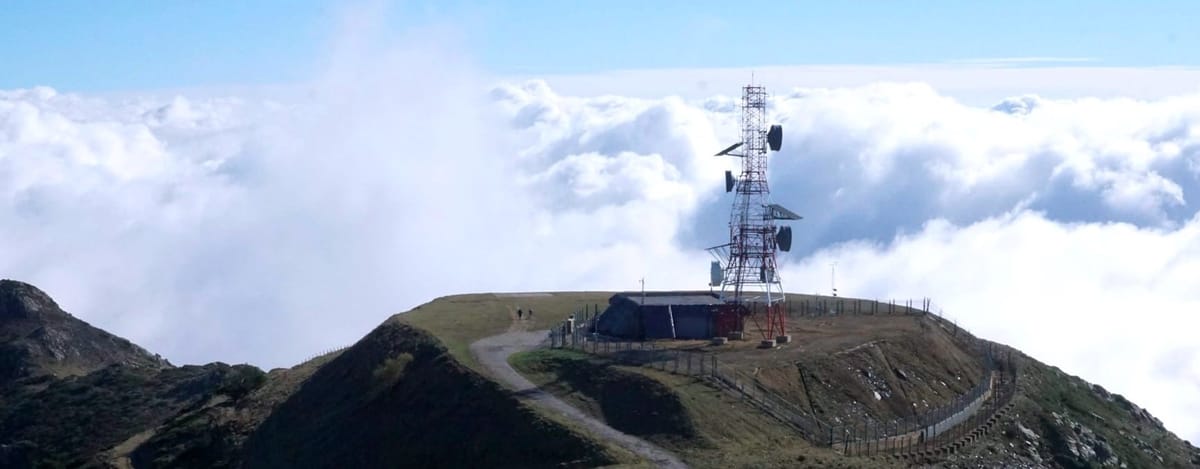
- Height: This is the big one. LoRa operates in sub-GHz bands and is largely line-of-sight, so getting above terrain, and buildings reduces obstruction and signal attenuation. Even small increases in elevation can significantly improve range — “height is might” really holds up.
- Sunlight: If your repeater is solar-powered, this directly affects uptime.
- Stealth: You can either make something that blends in like a geocache so it won’t catch people’s attention.
- Connectivity: The goal is to extend the existing mesh, not just create an isolated node.
That last one is where things get interesting.
Working With the Real World
A lot of people lean on stealth when placing repeaters, but that’s not the only option. In many cases, there’s actually someone you can ask.
Parks departments, building facilities managers, even libraries can be surprisingly open to hosting small infrastructure like this — especially when you frame it as resilient, community-driven communication.
There’s already precedent for this. Sonoma County’s Public Infrastructure Committee recently helped install Meshcore repeaters to provide an additional layer of communication for emergency situations.
There’s also a practical reason to go the sanctioned route: repeaters placed without permission can be removed at any time. That kind of instability introduces gaps into the network, which is the opposite of what you want when you’re trying to build reliable infrastructure. The ideal case is something on your own property; the next best option is getting explicit permission.
Mapping the Network with Meshmapper
To figure out where a repeater would actually be useful, I’ve been using Meshmapper.

To add data to the map, you use a simple app (iOS and Android) that connects to your radio over Bluetooth. As you move around, it sends pings and records connectivity based on your phone’s GPS.
You get a color-coded map:
- Green: bidirectional connection
- Red: no connection
- Orange / Purple: one-way links
- Blue: repeater discovery
The data doesn’t just stay on your phone — it gets uploaded and aggregated into a shared map, so other people can see which areas already have good coverage and which areas need expansion. From what I’ve seen, the location data is grouped into larger grid sections, so it’s not precise enough for someone to track your exact movements or reconstruct something like your commute.
After a bit of mapping, you start to see the gaps and opportunities pretty clearly. What you're looking for is an area where you can reach more than one other repeater but where one isn't currently installed.
Hiking for Coverage
Using Meshmapper, I started exploring areas around the South Bay.
One thing that stood out pretty quickly: there are a few repeaters up in the mountains to the east of San Jose, and because of their elevation, they reach much farther than you’d expect. Coverage from those nodes stretches across a large part of the South Bay.
On the other hand, the higher elevations in the mountains to the west are mostly empty. So I did a few short hikes in those areas while running Meshmapper, testing potential sites. After a bit of exploring, I found four locations that could reliably connect to repeaters to the north and east.
Those spots feel like good candidates for expanding the network in my area.
Where This Goes Next
So you're not limited by the current state of the mesh wherever you are. You can see the gaps, go out into the field, and start filling them in yourself. If you can find a good location, power a device, and connect it to the mesh, you’ve meaningfully improved the network.
There’s still a lot of Bay Area left to fill in.